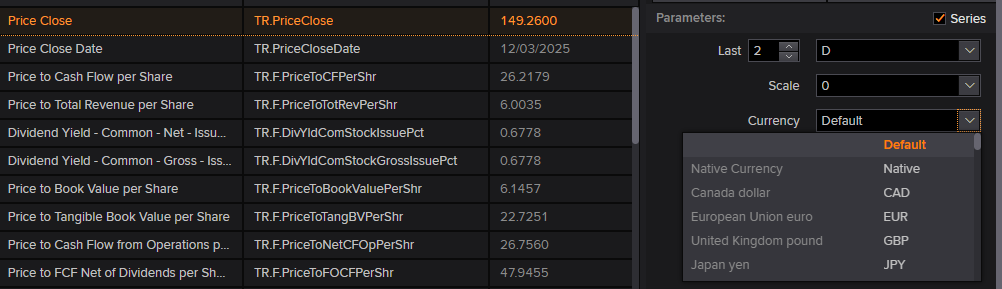
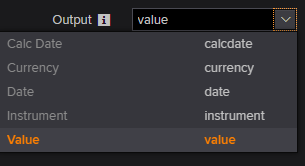
When we download financial data using python, how can we specify the frequency of time such as day, month or year? How can we specify the currency such as Japanese Yen and US dollars
@saku
Thank you for reaching out to us.
You can use the LSEG Data Library for Python to get financial data through the Workspace application.
The examples are available GitHub. You can refer to the get_data and get_history examples.
You can use the Data Item Browser tool to search for fields and parameters. Some fields support the currency parameter.
Otherwise, you can contact the Helpdesk support team, which can be reached by submitting queries through LSEG Support. The support team will either have the required content expertise ready available or can reach out to relevant content experts to get the answer for you.
You need to ask for the Excel formula, such as =RDP.Data and =RDP.HistoricalPricing, that can be used to retrieve the required data. Then, we can help you converting that formula to Python code.
Please include the URL of this discussion in your raised question to prevent it from being redirected back to this Q&A forum.
Thank you very much for your kind reply.
I am still not sure how to proceed. When I download the financial data using `get_data` with SDate=2015/1/1 and EDate=2023/12/31, the output does not include any date information. Therefore, I cannot tell which number corresponds to which date.
How can we make the output data include the 'time' as well?
Are there lists of codes available to specify time (Year, Month, Day) and currency (Euro, US dollars, Japanese Yen)?
I conjecture that the Canadian dollar should be specified as 'CAD' etc., and that the fiscal year as ‘FY’, but I cannot find the manual or the list of commands.
Thank you so much.
Please share the code that you are using.
You can use the Data Item Browser tool to search for fields and parameters.
For the date field, you can use the sub-fields, such as TR.PriceClose.date.
Thank you so much for your explanation.
I was able to load the time information.
I still have difficulty to load the data regarding several items with time information at the same time. Even if I specify the same period from 2023/1/1 2025/12/1 for all items, the numbers in the same row can correspond to a different date. How can we get the data of multiple items for a certain period using python?